
glassdeck Download

Turn your Mac into
a DJ controller.

Glassdeck is a macOS app that maps your MacBook’s trackpad 1:1 onto a DJ controller on screen. Every finger works the control under it, several at once.

You’re on the go and you don’t have your controller?

Download for Mac

Free early version 0.2 · macOS 14 or later · Apple silicon and Intel · 730 KB

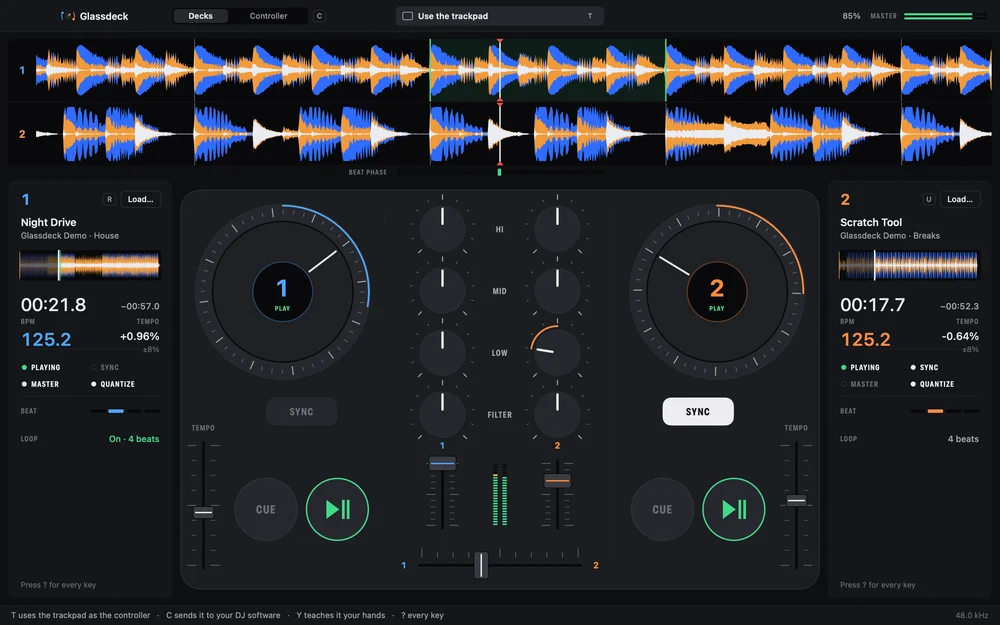
Glassdeck running on a Mac. Two stacked waveforms sit above a controller with two platters, EQ and filter knobs, faders and a crossfader. Both decks are playing in sync and a finger is scratching deck 2.

Still practising
with a mouse?

One control at a time. That is all a pointer can move.

Glassdeck in pointer mode: the controller on screen with no fingers on the trackpad.
Pointer mode. Nothing moves until you drag it.
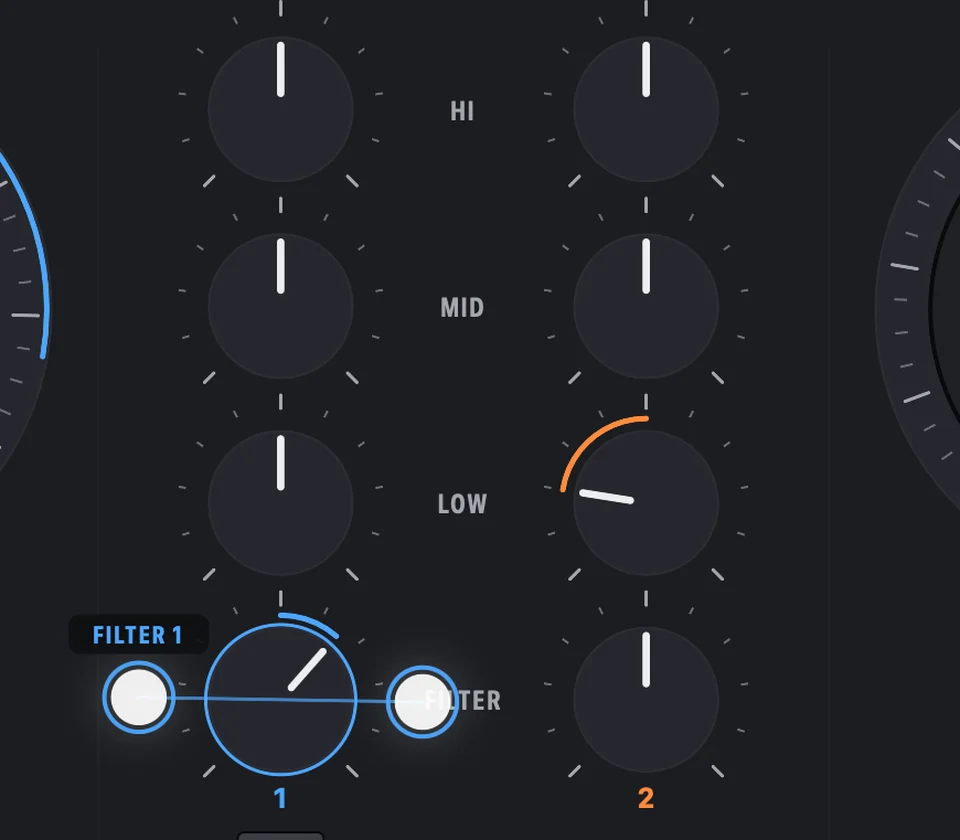
Close-up of the mixer: two fingers gripping either side of a FILTER knob and twisting it.
Trackpad mode. Two fingers on the FILTER knob.

You’re on the go and you don’t have your controller? So you open the laptop and practise your mixes with a mouse, like an idiot.

Drag one knob. Let go. Drag one fader. Let go. A pointer moves one control at a time, and a mix needs both hands on several.

If you find yourself practising on your Mac without your DJ controller, you need to see this.

Hands on the glass

No new gear. The moves you make on a controller, made on the trackpad you already carry.

Illustration: the knob and platter are drawn on the glass to show what your fingers are working on screen.

Twist. Two fingers either side of a knob, turn your hand.
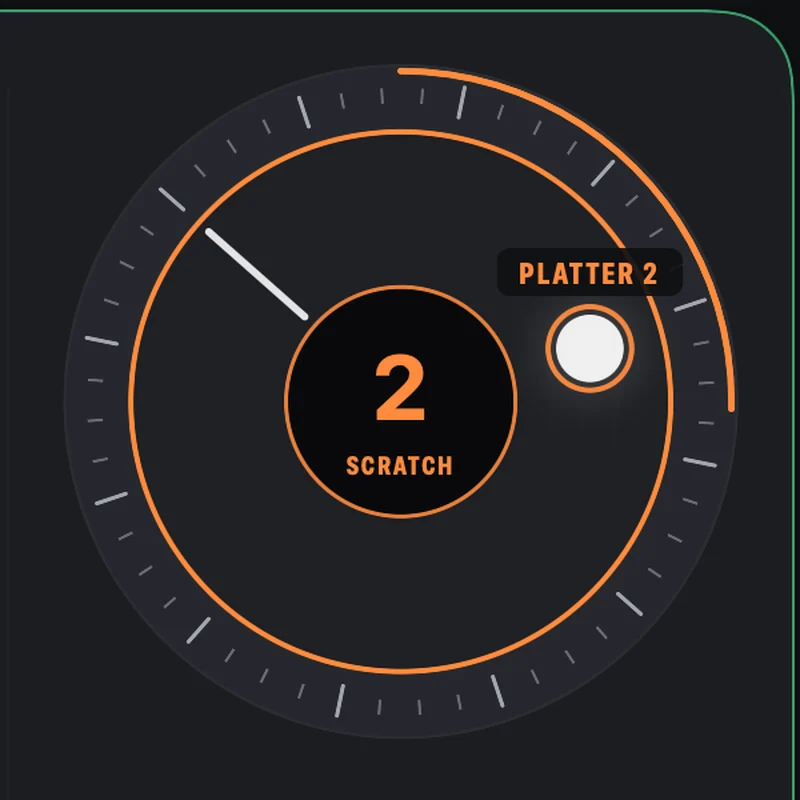
Scratch. Hold the platter with a finger and move the record.

Your trackpad is the controller

The trackpad maps 1:1 onto the controller on screen. Whatever sits under a finger, that finger works.

  1. Twist a knob

    Put two fingers either side of a knob and rotate your hand. Or draw circles on it with one fingertip. HI, MID, LOW and FILTER on each deck.

  2. Push a fader

    Channel faders, tempo faders and the crossfader move with your finger. Two fingers, two faders, same moment.

  3. Hold and spin a platter

    Finger down holds the record. Move it to scratch. The outer ring nudges the tempo.

The Glassdeck controller A drawing of the controller on screen: two platters, four knobs per deck, channel faders, tempo faders and a crossfader. The control under each finger moves as the fingers move on the trackpad below. 1 PLAY 2 PLAY 1 2 HIHI MIDMID LOWLOW FILTERFILTER SYNC SYNC LOCKED TO DECK 1 CUE CUE TEMPOTEMPO 12
The trackpad, with fingers shown as dots in the same positions as the controls above

Trackpad live

2 fingers down

Esc gives the pointer back.

Thirty seconds, with sound

What Glassdeck is, how your fingers work it, and how it plugs into the DJ software you already use.

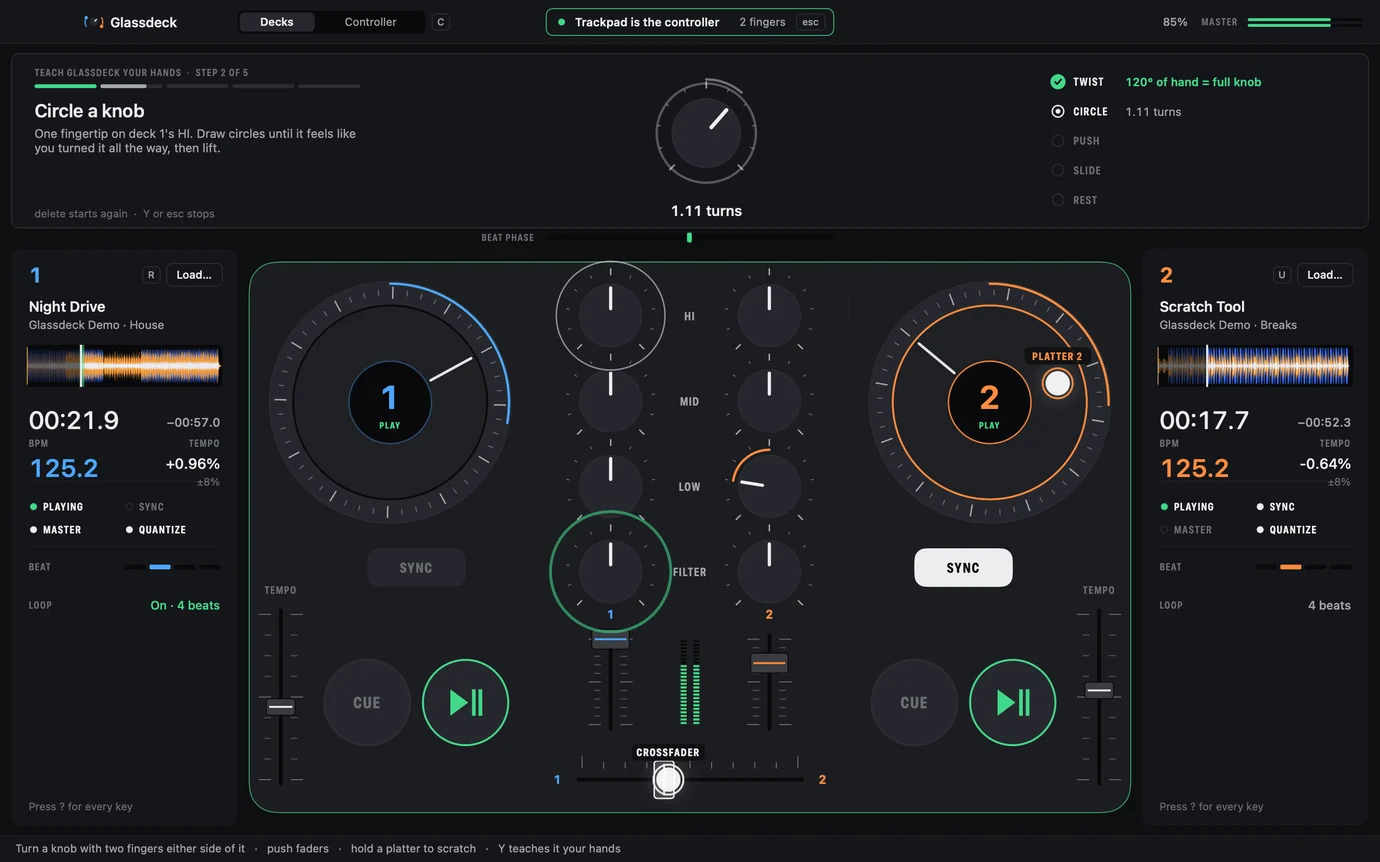
It learns your hands

Press Y and make five short moves the way they feel natural: twist a knob as far as feels like a full turn, circle on a knob, push a fader, slide the crossfader, rest a finger still.

Ghost fingers show each move. Every step locks in with a tap under your finger and a check that says what it learned. Then you try the new feel before you keep it.

Glassdeck teaching: a card above the controller shows step 2 of 5, a knob turning with the hand, and a ghost finger circling a knob on the controller.

Feel what you hold

On a Force Touch trackpad, Glassdeck taps under your finger the moment it takes a control, and softly when a knob passes its centre or a fader reaches an end. The name of the control sits next to each finger on screen.

Now you twist it

This is the FILTER knob. Draw a circle on it with a fingertip, the way you would in the app. Left takes the highs out, right takes the lows out.

The page plays no sound. The waveform shows what the filter is doing.

FILTER

Drag in a circle, or use the arrow keys. Double-tap to reset.

Two stacked waveforms from the app, with lows in blue, mids in orange and highs in white. Filter off
Deck 1 and deck 2 waveforms stacked, with their beat lines sitting exactly on top of each other.

SYNC that locks

One press matches the tempo and puts the beats of both tracks on top of each other. Then it keeps them there.

Beat phase

With your DJ app, or on its own

Controller mode

Press C. A slim controller floats over your DJ software and Glassdeck shows up to it as a MIDI controller called “Glassdeck”. The trackpad now drives the software you already use.

Ready-made mappings come in the download. For rekordbox, Mixxx and VirtualDJ, choose DJ Software › Set Up… in Glassdeck’s menu bar and it puts the file where that app looks for it. Traktor, Serato and djay learn the controls in a few minutes with MIDI Learn; the guide for each is in the download.

The rekordbox mapping has been played with by a user. The others are written from each app’s documentation and not yet tried in every app.
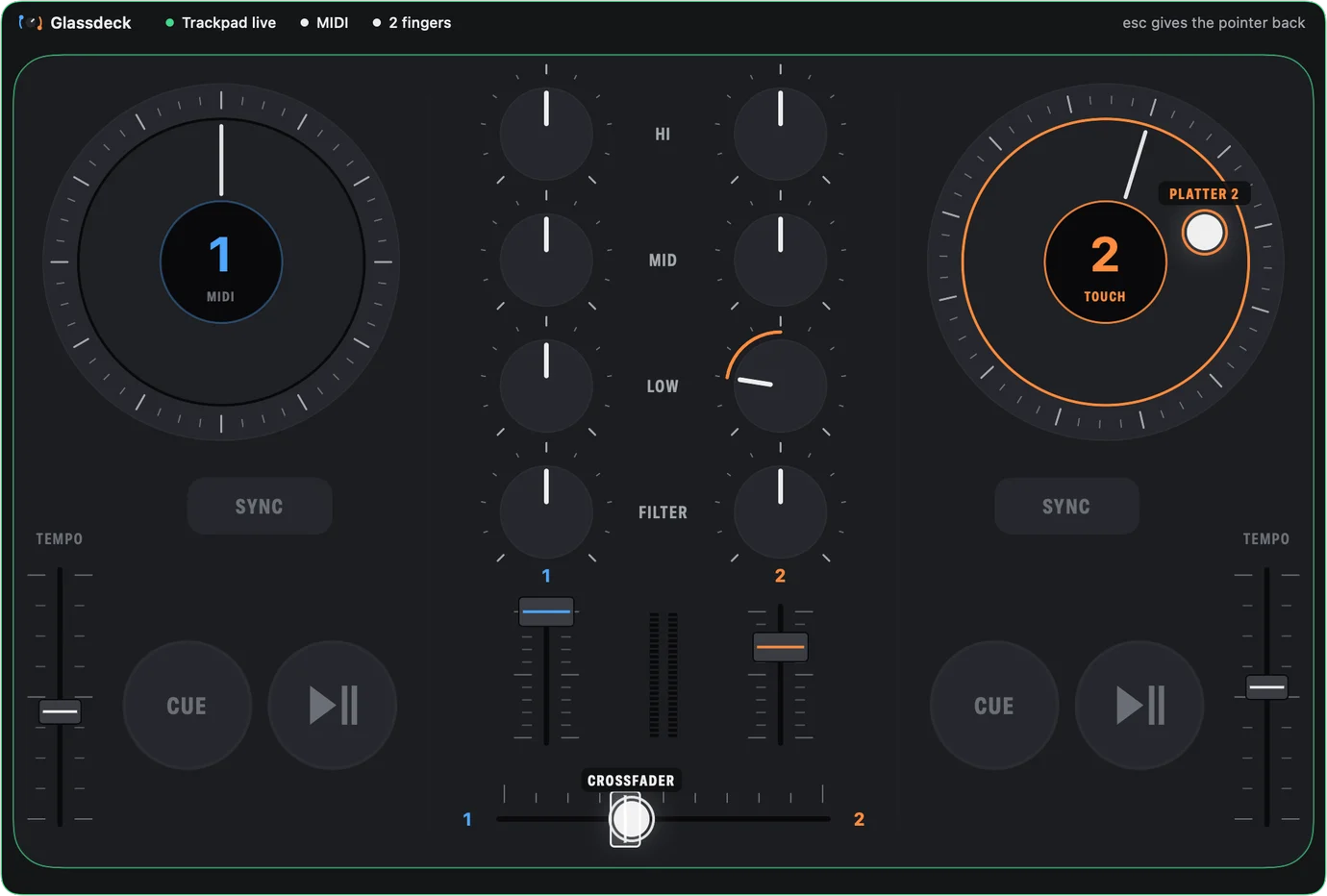
Glassdeck's floating controller in Controller mode, with MIDI out lit and the trackpad live.
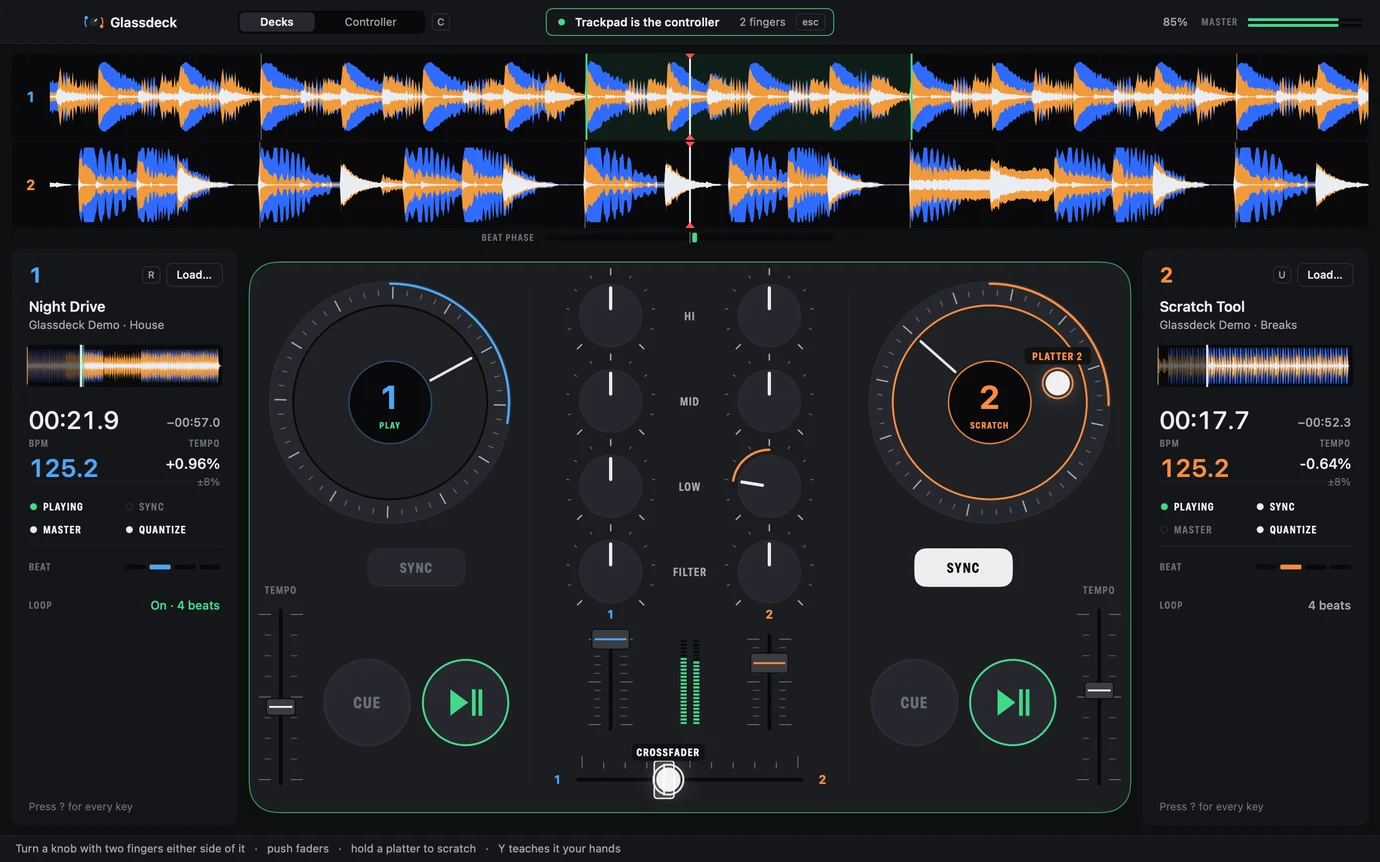
The Glassdeck window with its built-in decks: stacked waveforms, deck panels with BPM and tempo, and the controller surface.

Built-in decks

A two-deck mixer inside the app: stacked waveforms, beat grid, sync, loops, 3-band EQ and filter. For practising with nothing else open.

Deck 2's platter held by a finger and marked SCRATCH.

What you need

A Mac
macOS 14 or later
A trackpad
Multi-touch: any recent MacBook, or a Magic Trackpad
DJ software
Optional. The built-in decks run on their own

Fair questions

Does it replace a real controller?

No. It is for practising and preparing sets when your gear is not with you. At a gig, real faders and real jog wheels still win.

Which DJ software does it work with?

In Controller mode, DJ software that supports MIDI mapping: the download has mappings for rekordbox, Mixxx and VirtualDJ, and MIDI Learn guides for Traktor, Serato and djay. Or skip all that and use the built-in decks.

Why does macOS stop it the first time?

Glassdeck is not notarised by Apple yet. Open it once, then go to System Settings › Privacy & Security and click Open Anyway next to Glassdeck. On macOS 14 you can right-click the app and choose Open instead. You only do this once.

What about latency?

There is no number to quote yet, and we are not going to invent one. In Controller mode it also depends on your DJ software and your audio settings. Try it on your own setup.

Does it work with a Magic Trackpad?

Yes. It needs a multi-touch trackpad: the one built into any recent MacBook, or a Magic Trackpad. The taps under your finger need a Force Touch trackpad.

What does it cost?

This early version is free.

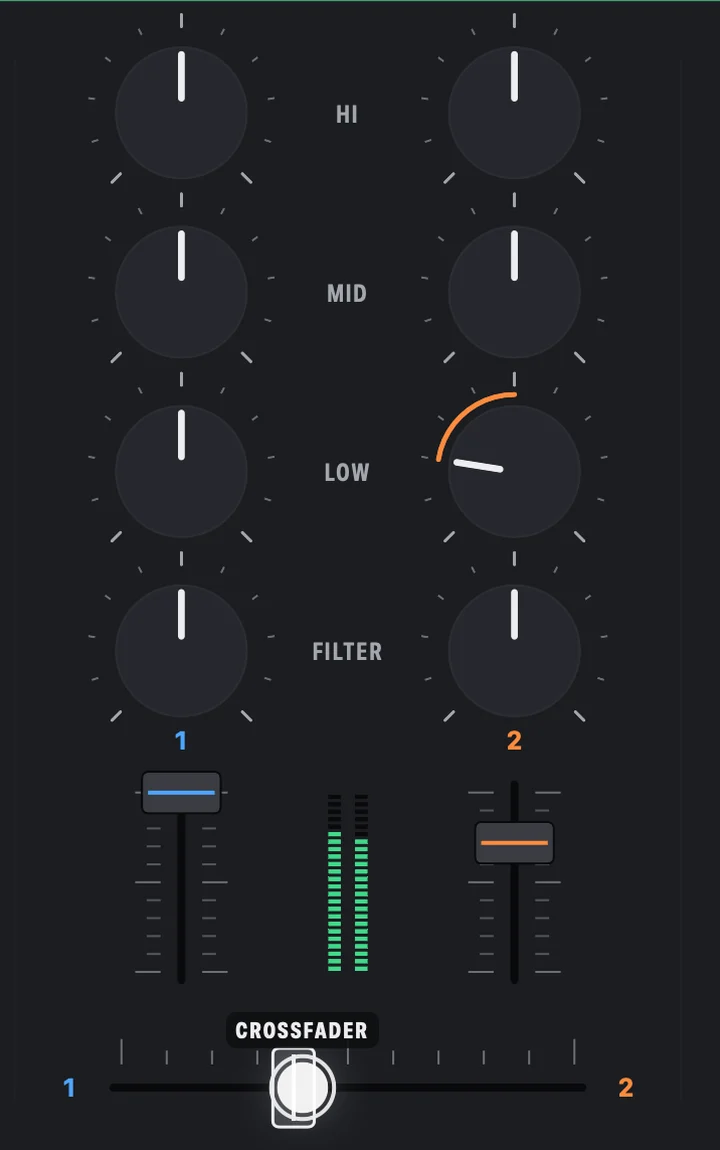
The mixer section of Glassdeck: EQ and filter knobs between two channel faders, with the crossfader below.

Your controller is already in your bag

  1. Download and drag Glassdeck into Applications.
  2. Open it once, then System Settings › Privacy & Security › Open Anyway.
  3. Press T and your trackpad is the controller. esc gives the pointer back.
Download Glassdeck 0.2

macOS 14 or later · Apple silicon and Intel · 730 KB · SHA-256